
Unique Feature – Locate dealer!
We give you easy options to find out which dealer and tablet are linked together!
First option:
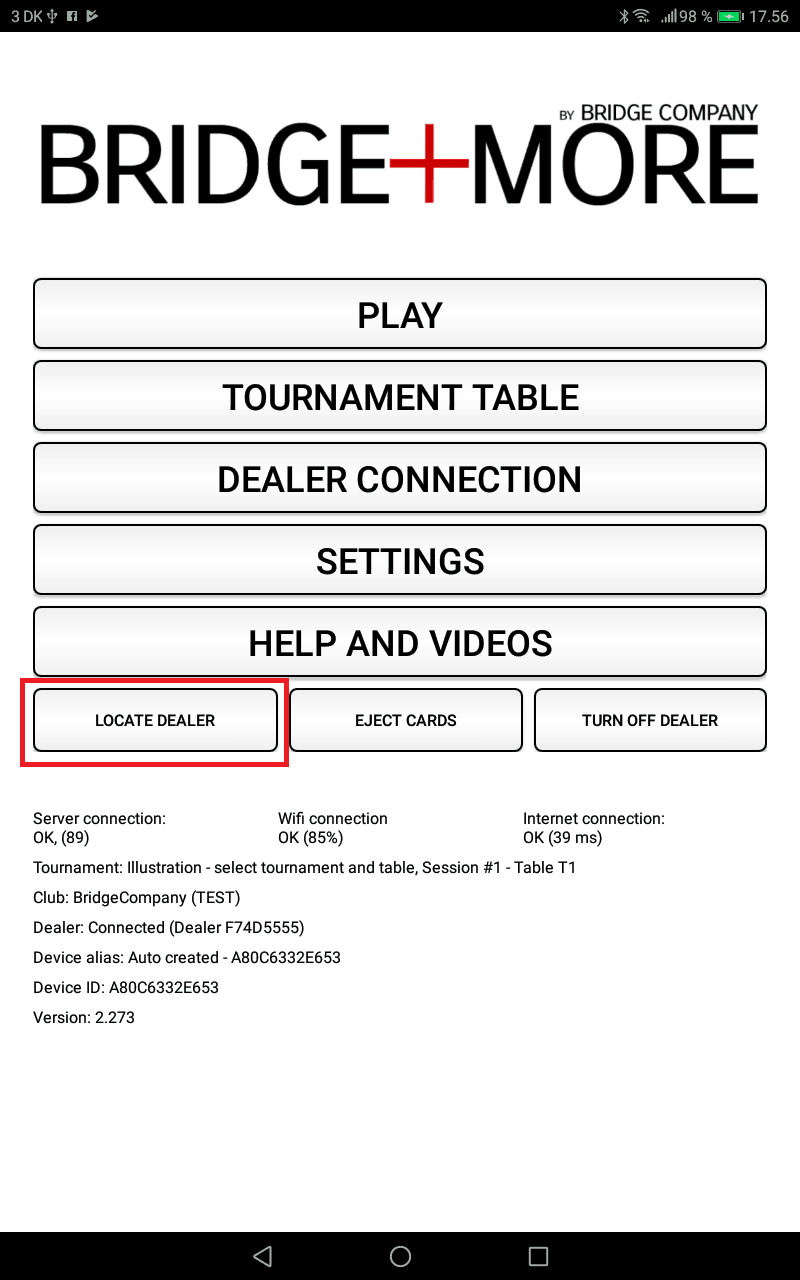
- Open the main menu of the Bridge+More app
- Click “Locate dealer”
- See the linked dealer blinking with four LED’s – that’s your dealer!
Second option:
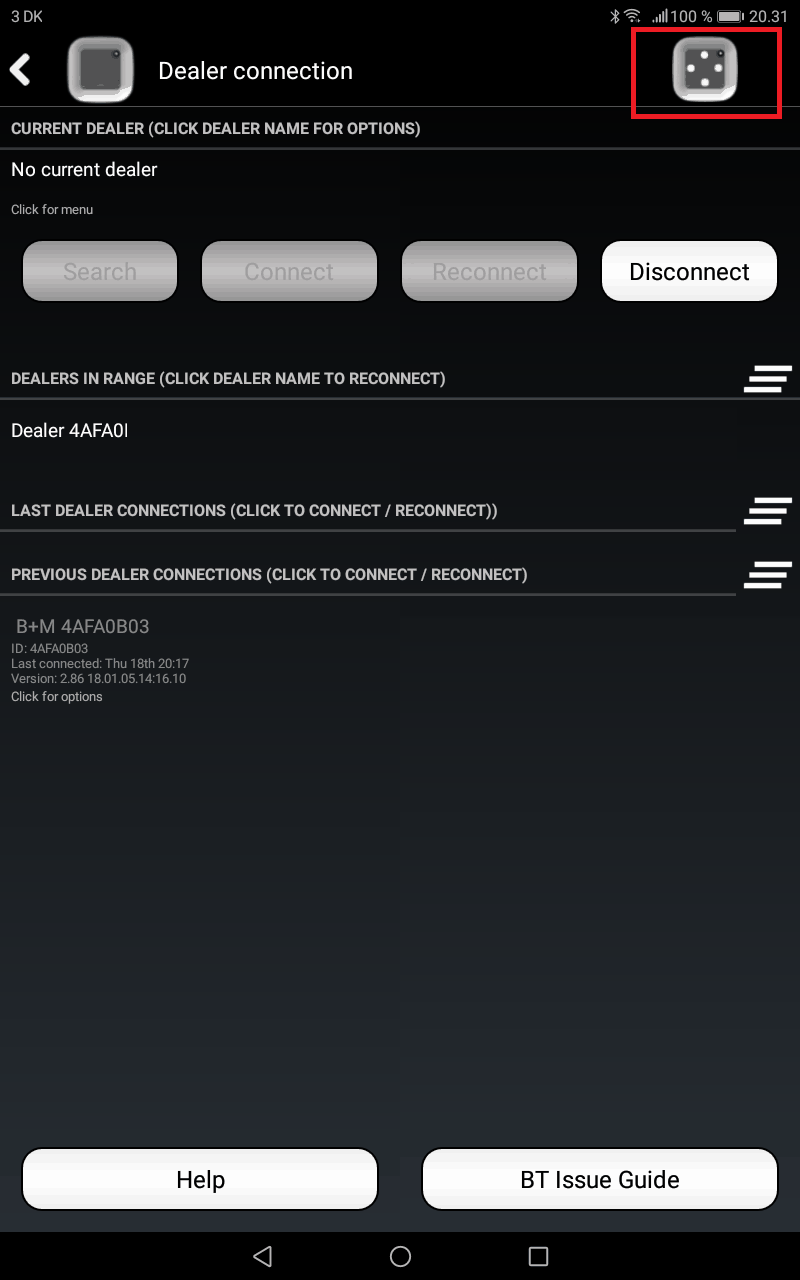
- Open the main menu of the Bridge+More app – select “Dealer connection” in the main menu
- Click the icon in the upper right corner – with the “Locate Dealer” illustration
- See the linked dealer blinking with four LED’s – that’s your dealer!
See the screen – the red square shows the buttons