

Question:
How can I on the dealer’s firmware version?
Answer:
From the main menu – select “Dealer connection” and if the dealer is connected you will see a text similar to the one shown below (name can and the number will be different)
The text “Version: …. ” shows the firmware version.
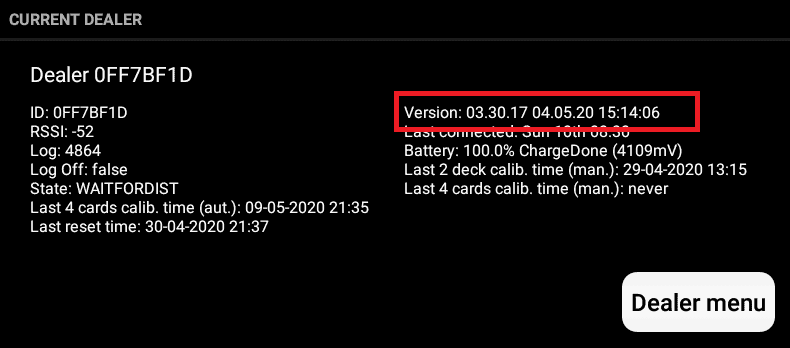
The text “Idle” shows you are not charging the dealer.

Suggested links:
Suggested search terms:
Charge, charging, battery, dealer

