
Bridge+More – How to turn the Bridge+More tablet On – Examples from Samsung tablet
- The Bridge+Tablet is turned On by keeping a pressure on the upper (small) button found on the right side of the tablet. Keep it pressed until you see the Samsung Galaxy Logo and hear a sound.

Bridge+More – How to turn the Bridge+More tablet Off
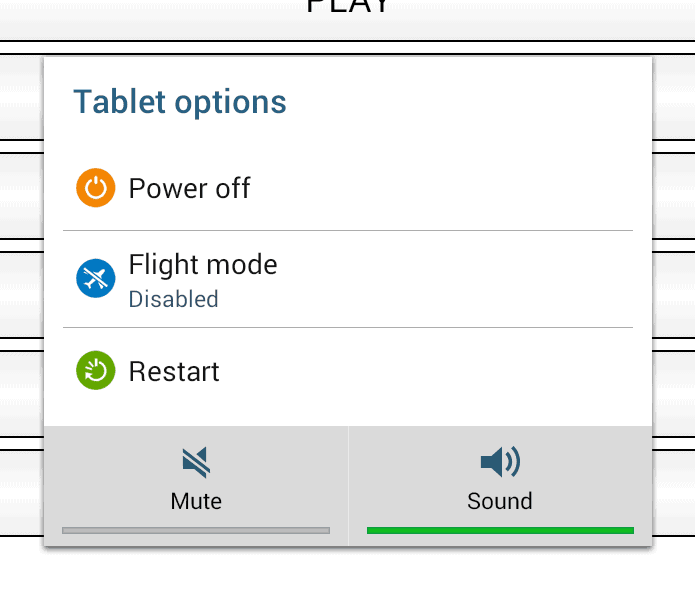
- The Bridge+Tablet is turned Off by holding the upper button on the right side until you see the picture at the left
- Then select “Power Off”
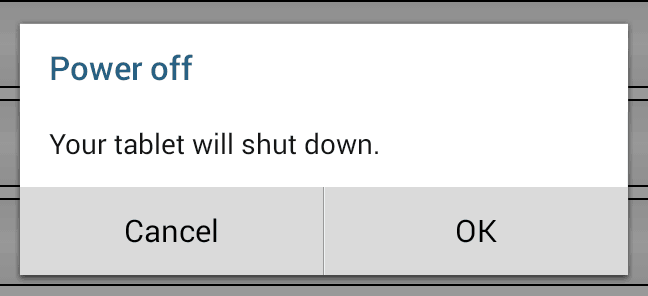
- To avoid an unwanted power Off you are asked to confirm as shown at the second picture on the left.
- Select “OK” If you are sure you want to turn the tablet Off
Please notice if you turn the tablet of before you have left a tournament properly – see here how – you can’t turn the dealer Off before you start the tablet again and connect to the dealer – and while you are at the main menu in our Bridge+More app.
- We use battery saving options – if you see the clock (upper part) and this picture (lower part) of the screen – make a “swipe” (move one or more fingers) from left to the right on the screen to open the same screen as before the battery saving feature changed the screen.
