bridge dealer | Help side for Bridge+More by Bridge Company

Tag Archive for: bridge dealer

How to set the dealer to deal random cards

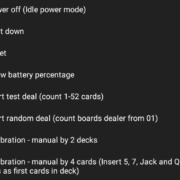
How to set the dealer to deal random cards – it is actually easy to do. Start dealing with random cards is done with the power button.

How to check the cards?

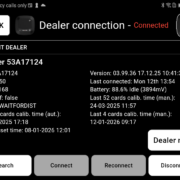
How to know if your cards are still good to play with?
It’s actually quite easy to check. In addition to looking for any physical damage to the cards, you can also check their serial numbers to determine whether they are still suitable for play.

4.06 How to manually do a thorough calibration of the bridge dealer with 52 cards? (Advanced)

How to manually do a thorough calibration of the bridge dealer with 52 cards? (Advanced)

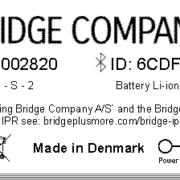
4.14 How to understand the Bridge+More Dealer information label ?

Please lift the bridge dealer up and carefully turn it around.

You can see the following:

……….

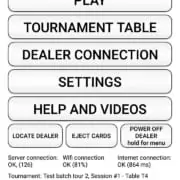
How to install the Bridge+More Android App on your tablet or phone with a USB cable?

You can use any Android tablet / phone that has Bluetooth, Wi-Fi or internet and has Android 4.4.2. We support the most common screen resolutions

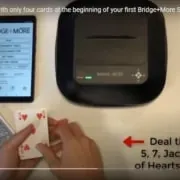
4.07 How to do a fast calibration of the bridge dealer with 4 cards? (Basic)

How to do a fast calibration of the bridge dealer with only 4 cards? (Basic)

How to import card distributions (hands) into your Bridge+More solution (Basic) (copy)

The Bridge+More solution is a complete solution and creates all the hands – you need – but you might want to play or import a specific card distribution. Therefore, the Bridge+More solution offers multiple import options and the import feature reads all known Bridge file formats.

How to avoid misuse of reference games – how we protect you against other’s misuse of reference sources

How to avoid misuse of reference games – how we protect you against other’s misuse of reference sources

How to import card distributions (hands) into your Bridge+More solution (Basic)

How to manually do a thorough calibration of the bridge dealer with 2 * 52 cards? (Advanced)

4.10 How to see if the dealer is charging ? (Fast & Easy, Basic and Advanced)

How can I on the dealer see it’s charging – you can see it four different places actually

Thanks for your visit

 Still time to register for our newsletter?


Would you like to leave a quick comment ?

Thanks for your visit

 Still time to register for our newsletter?


Would you like to leave a quick comment ?

Like to register for our newsletter?

No spamming and one click to unsubscribe