
Specifications – Bridge+More Solution’s Select Dealers specifications and weight ?
The Bridge+More Solution’s Select Dealers specifications and weight.

The Bridge+More Solution’s Select Dealers specifications and weight.

The Bridge+More Solution’s Premium Dealers specifications and weight.
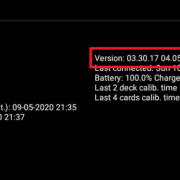
How can I on the dealer’s firmware version – From the main menu – select “Dealer connection” and if the dealer is connected ……
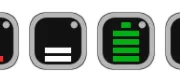
How can I on the tablet see it’s charging ?

Unique Feature – Flexibility – Use your dealer for every occasion! We offer a high degree of flexibility with Bridge+More – a Bridge+More solution can be moved among private, club, tournament, and federation usage
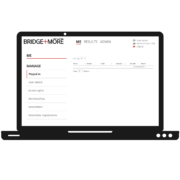
The Bridge+More Web software is simple and easy to use as you only need to set up the number of tables, player information, and create the card distribution on the Bridge+Server. How to handle ….
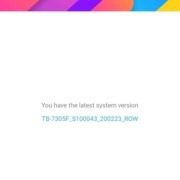
the tablet’s Android software can be updated automatically if you click in the upper right corner of the update screen – see the 3 dots in the upper right corner on the update screen (see the red square) – and select the appropriate principle.
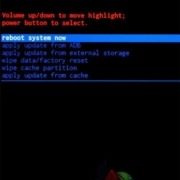
Very seldom you can experience an Android tablet start in Root mode. Root mode is the software that handles the tablet before the Android operating system. This issue has NOTHING to do with Bridge+More solution.
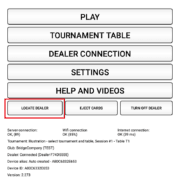
How to see if a Bridge+More tablet and dealer are connected via Bluetooth? Simply on the tablet click one of the “Locate Dealer” button to see if a dealer is connected. If connected the dealer’s LEDs will blink