How to export results in PDF format (Fast & Easy video)
Click here to learn how to export your game results in a PDF file on your PC

Click here to learn how to export your game results in a PDF file on your PC
Do you wish to share your game results from a tournament on facebook account? Click here to watch how export a file you can share on you profile
Are you member of the Norwegian Federation? Click here to learn how to export a Norwegian Result Slip on our server
Click here to learn how to create and open a monitor showing real time results on a screen
Click here for a video guide and explanation of how to log in on our server for the first time , choosing the right server adress
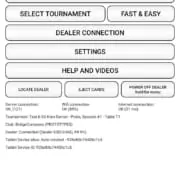
Question: How to understand the front page details on your bridge tablet?

The Bridge+More Dealer can be tested with a number of tests. The tests are all found in the Dealer menu – select Dealer Connection from the main menu then the Dealer button
“Test Dealer functions” and select the appropriate test. After you have selected the relevant test the dealer will guide you

The Bridge+More Woody Case details, specifications, and weight. Empty weight is 5 kg, Full with 4 Solutions (4 and 4 extra card decks) weight is 17.5 kg. Size – 500 * 345 * 300 millimeters (approx.).
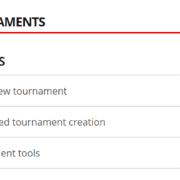
How to use a BWS file to create a Brodge+More tournament. A BWS file is one of several file formats used by a number of federations systems to save a tournaments details when you have created a tournament to play.
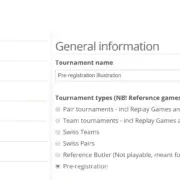
The Pre-registration feature for optimal tournament flexibility. To ensure the appropriate tournament type and size by you have an option to select among a number of already created tournaments – this tournament type we call “Pre-registration” as the players start to register names while you wait for all to arrive and for you to decide on tournament size.