How to install the new Bridge+More Apps from Google, Apple, Huawei and APKPure app stores

How to install our B+M apps on your tablet and/or phone. We support the following OS’ – Google Play Store, Huawei AppGallery and Apple App Store

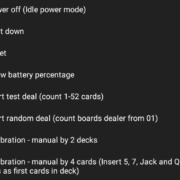
4.06 How to manually do a thorough calibration of the bridge dealer with 52 cards? (Advanced)

How to manually do a thorough calibration of the bridge dealer with 52 cards? (Advanced)

Download Bridge+More Dealer app – version 1.9.22

Click the link above to download and install the Bridge+More app version 1.9.22

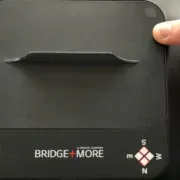
4.14 How to understand the Bridge+More Dealer information label ?

Please lift the bridge dealer up and carefully turn it around.

You can see the following:

……….

How to Handle Player Details – Does a Registered Player Need an Email?

How to handler player details – Does a player need to be registered as a user and have an email? No – but read more about the many options ….

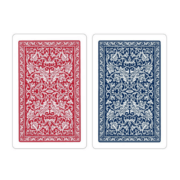
How to prepare playing cards – 4 card calibration (Fast & Easy video)

Click here to see a video of how to prepare the playing cards for a bridge game on the dealer

How to get your information transferred to the new version of the Bridge+More app

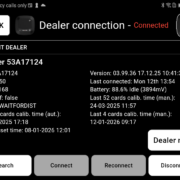
How to see if a Bridge+More tablet and dealer are connected via Bluetooth? Simply on the tablet click one of the “Locate Dealer” button to see if a dealer is connected. If connected the dealer’s LEDs will blink

4.01 Dealer – How to connect the Bridge+More tablet and dealer via Bluetooth ?

How to connect the Bridge+More tablet and dealer via Bluetooth? – Shortly after both devices are turned On the devices will connect.

Download Bridge+More Dealer app – Earlier version 1.7.0

Click the link above to download and install the Bridge+More app version 7

4.13 How to you use the Dealer card gap adjustment feature

How to use the Dealer’s card gap adjustment feature – on the Select+ 4, Select+ and the Premium dealer (Classic dealer can be upgraded)