
4.14 How to understand the Bridge+More Dealer information label ?
Please lift the bridge dealer up and carefully turn it around.
You can see the following:
……….

Please lift the bridge dealer up and carefully turn it around.
You can see the following:
……….
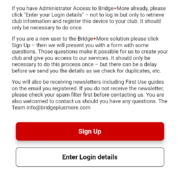
How to handler player details – Does a player need to be registered as a user and have an email? No – but read more about the many options ….
Click here to see a video of how to prepare the playing cards for a bridge game on the dealer
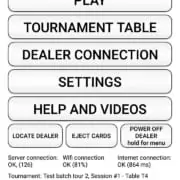
How to see if a Bridge+More tablet and dealer are connected via Bluetooth? Simply on the tablet click one of the “Locate Dealer” button to see if a dealer is connected. If connected the dealer’s LEDs will blink
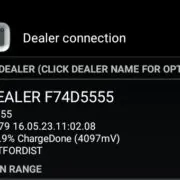
How to connect the Bridge+More tablet and dealer via Bluetooth? – Shortly after both devices are turned On the devices will connect.
Click the link above to download and install the Bridge+More app version 7
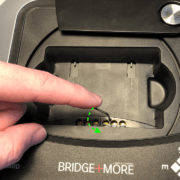
How to use the Dealer’s card gap adjustment feature – on the Select+ 4, Select+ and the Premium dealer (Classic dealer can be upgraded)
You can use any Android tablet / phone that has Bluetooth, Wi-Fi or internet and has Android 4.4.2. We support the most common screen resolutions
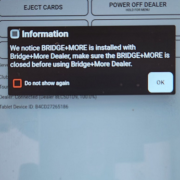
Ensure Optimal Performance: Uninstall old Bridge+More app versions and update to the latest via official platforms for the best experience.
Uninstalling Apps Made Easy: Learn how to quickly remove apps on Android, iOS, and other devices with simple step-by-step instructions.
 Bridge Company A/S